My trip to PodCamp Nashville 2012
-
Note: Loving the opportunity to publish this post from Storify, though I now have to wonder about the potential copyright issues. Will report back.I had always wanted to visit a tech event in Nashville, but I’ve missed all the BarCamps and PodCamps to date (and I used to think PodCamps were about podcasting).Fortunately, I managed to squeeze in PodCamp Nashville 2012 on April 14, including a chance to present “How to Win Awards and Influence Readers in 439 Days and 668 Posts.”The weather was perfect, a beautiful day on Broadway.
-

-
The traditional venue is Tequila Cowboy (formerly Cadillac Ranch). Most of the speaking rooms were good, save for the open air second floor space, which competed with the bar’s crowd noise. Glad I didn’t have to present there.
-

-
The bar area itself (complete with Caddy overhead) is big, though attendance was down this year by at least 25 percent. I was told this made for a less crowded but comfortable event.
-
-

-

-

-

-

-
Volunteers make this event happen. Daniel Weigh @jaf0, on the right, and I finally got a chance to meet after tweeting to each other before the conference.
-

-
My presentation was straightforward: Hop onstage and do my thing for 30 minutes. I’m glad I was able to attract several photogs to my 1:30 p.m. talk. 🙂
I didn’t capture video, since I already had a good one from giving the same talk at WordCamp Birmingham. -

-
The slides for my talk on advanced content marketing.
-
-
Great tweets from the audience sum up the key points.
-
-
-
-

-
Mentions of Birmingham’s excellent dining scene always pique excitement.
-
-
-
Me in the upper left!
-

-

-
Me on the right!
-
-
As you can see, super crowded. 🙂
My joke for speaking gigs: I get paid the same whether 5 people or 500 show up. -
 Great discussion about diversity in your blog. @WadeonTweets #pcn12 #pcn12blog http://pic.twitter.com/Wk6nr5Y3
 -
I missed the first two sessions, thanks to my sleeping through the 5 a.m. alarms. But I did sit in on other sessions, as well as meet some of the great folks working in the Nashville area. I hope to return to Nashville in the fall for BarCamp, one of the biggest tech events in the region.•••
Resources:
My post with the video of my talk from WordCamp. -
More from WordCamp Birmingham 2012: Video on advanced content management
 You’ve seen the slides, now own the movie. Check out the 30-minute video from my WordCamp Birmingham 2012 presentation, “How to Win Award…
 -
My Pinterest board with slides, more photos, more blog posts and other odds and ends.
-
Presentations, slides, videos, blog posts and more from PodCamp Nashville 2012. #pcn12


PRAM 2012 conference presentation: Digital Listening
If you came to my presentation to the Public Relations Association of Mississippi annual conference, “Digital Listening: The First Step in Understanding Your Audience,” thank you. If you’re just interested in monitoring and interacting with an online audience, you’re in the right place.
1. You can see the slides from the presentation. Please feel free to download them or embed them on your site. To download a PDF, click “SlideShare” in lower left, then “Download.”
•
2. I’ll have video posted soon.
3. If you want to stay in touch …
- You can contact me through this simple form. Please feel free to ask questions, make suggestions or request help.
- You can follow me on Twitter at @WadeOnTweets.
- You can subscribe to the free e-mail newsletter with tips, info, specials and more.
- And you can subscribe to my Birmingham Blogging Academy posts by RSS feed.
Thanks for checking out “Digital Listening: The First Step in Understanding Your Audience.”
• • •
If you need help with communication,
now is the time to book me for a FREE consultation.

How I decide whether to connect with you on social media

I am judging you. You are judging me and everyone else.
By appearance, by grammar, by facial expression, by stance.
And online, I’m judging your social media channels, especially if you bill yourself as an “expert.”
(Side note: I’m disappointed so many are scared off by that word now. I consider myself an expert in many things, including social media.)
I’m pretty picky about who I follow or fan or connect with or circle or whatever the kids call it these days.
My criteria … (Note how they’re questions to set up guidelines, rather than hard-and-fast rules.)
Twitter:
- Do you tweet? Ever?
- Do you tweet your RSS feed and nothing else?
- Do you ever respond to people?
- Do you follow and unfollow me just to trick me into following you? (Hint: This never works on me.)
- Do you spam me with the same promo you just spammed a hundred other people with? (Because then I report and block you.)
- Is your main profile link go to an adult site or other shady business, or is your avatar vulgar? (Automatic no.)
- Are you a social media “expert”? (I think I’ve followed enough of them for a lifetime. I want diversity in my feed, from dairy farmers to disaffected librarians.)
- Is your account private? (That’s almost always an automatic no, unless I know you already.)
- Are you funny?
- Is your avatar an egg, cartoon figure or corporate symbol? (Not a turn-on, but not a dealbreaker either.)
- Are you an extremist (political, religious, etc.)? (That’s usually a turn-off.)
- Do you ever retweet anyone? Are all your tweets just retweets? (I’m looking for a healthy balance.)
- Are you just tweeting via Facebook? (Automatic no.)
- Are you asking me to retweet something of yours? (Almost always no.)
- Are you hashtagging every word?
- Do you use a Twitter follower verification service? (I hate those. I understand them, but I hate them.)
- Is your bio blank? Is your location blank? Is your website blank? Does your URL go to a 404 page?
Facebook:
- Have I met you in person?
- Are you a business using a profile instead of a page? (This is almost always a no.)
LinkedIn:
- Have I met you in person or done business with you?
- Are you a business using a profile instead of a page? (Oh yes, I’ve seen it on LinkedIn.)
- Are you someone I trust professionally? (I have kicked people out of my network who are shady in their business practices.)
Pinterest:
- Are you an active pinner? (Zero to five pins = inactive.)
Google+:
- Are you someone I remotely recognize? (I see lots and lots of foreign followers on Google+, not necessarily a dealbreaker, but certainly a red flag to me.)
YouTube:
- Do you post interesting videos about Birmingham?
- Do you post interesting videos about anything else?
On every network except LinkedIn, you can follow or subscribe to my updates without waiting for my permission. Thank goodness.
• • •
What criteria do you use to connect with people online? Share them in the comments below.
• • •
Connect with me (or try to) on
Twitter,
Facebook,
LinkedIn,
Pinterest,
Google+
and YouTube.
Alas, poor Twitter. I know him.

The Mars rover Curiosity has its own Twitter account, @MarsCuriosity.
The Huntsville Times was kind enough to include me in a recent story on the Mars rover Curiosity and Twitter. The exploratory lab is hurtling through the cosmos, scheduled to land on the red planet on Aug. 5.
A team at NASA tweets on behalf of @MarsCuriosity, giving the rover personality and helping tweeps with info on the mission.
When asked about whether Twitter, with its popularity among celebrities and its ability to break news instantly, was winning the social media wars, I said:
“Twitter is an incredibly useful service for interacting with people on Earth and floating around it now. But it will never be king of the social media channels, given its odd interface and tough selling proposition.”
(For the record, I did not agree with the previous “expert,” as stated in the article.)
So why do I love Twitter so much despite its runner-up status? It really is like a club. Anyone can join, but until you can decode the inner workings, it will always seem pointless and stupid to the casual observer.
Twitter is perfect for news junkies, for chatty folk and for wasting time, among other pursuits. I excel at these things, by the way. Those businesses that can share interesting info and engage fans will gain more customers than through a Facebook page.
And when done right, it can open people’s minds to the wonders of the universe, tweet by cosmic tweet.
•
Want to chat on Twitter with me?
Follow or message me at @WadeOnTweets.
Why I can’t wait for PodCamp Nashville
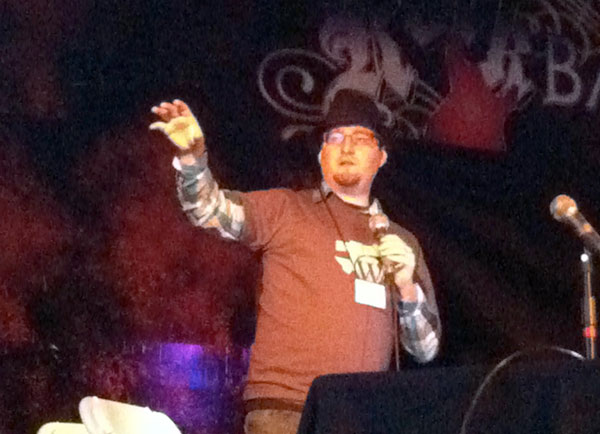
My friend Mitch Canter of Studio NashVegas is a PodCamp Nashville veteran.
I’ve been to many BarCamps and WordCamps and even summer camps and band camps, but never to a PodCamp.
 The name always confused me: I thought it was for podcasters only.
But PodCamp Nashville is coming up in April, and I’m looking forward to meeting my fellow online media professionals in an unconference setting.
What’s in it for me?
1. I’ve never been to a PodCamp. As I mentioned, I’ve been to other conferences and unconferences across the country, but never to a PodCamp. I love the unconference format, in which people make their own sessions and schedules.
Plus, it won’t be too heavy on tech, as some BarCamps can be, and it won’t be all WordPress like a WordCamp. It’s a great fit for someone like me who wants to talk about blogging and social media and yes, even podcasting.
2. It’s been too long since I’ve hit Nashville. It’ll be a short trip for me, but it’s been years since I’ve seen Music City. I love to travel, even if it’s just over the horizon. Maybe I’ll squeeze in a little time to snoop around before coming back.
3. I love meeting people. When you network for fun and for profit, meeting people is where it’s at. Be prepared to answer my three killer questions: What’s your name? What do you do? What’s the biggest challenge to face? (OK, so they’re not so tough.)
4. I love new media. Well, duh. I consult on it, I learn about it daily, and I helped create and run the Alabama Social Media Association. I can’t wait to hear everyone’s ideas and questions.
5. I love presenting and interacting. I’ll be giving a longer (hopefully) version of my talk on advanced content marketing, “How to Win Awards and Influence Readers in 439 Days and 668 Posts.” Don’t be shy: Go ahead and RSVP, since they use the head count to determine which room we’re in.
You can even watch the video of me giving the talk at WordCamp Birmingham 2012.
•
I hope to see you at PodCamp Nashville on April 16 at the Cadillac Ranch. Be sure to sign up for this free event right now and vote on which sessions you’ll attend.
This post is part of the PodCamp Nashville 2012 blog tour.
- Previous stop: Oh! Virtual Learning! “PodCamp Nashville — Virtual Worlds”
- Next stop: Who is David Dutton — “How to Get the Most from PodCamp Nashville”
•
My PodCamp Nashville 2012 Pinterest board
• • •
Want to learn more about social media without leaving your Inbox?
Sign up for our e-newsletter today!

How to use Facebook lists for market research

The Birmingham, Ala., restaurants Facebook list resembles
the update stream for friend groups and professional groups.
With the hoopla over the new Timeline format for Facebook pages, you may have missed another feature added in the last couple of weeks: Facebook lists.
Facebook has let users segment their friends by group, whether co-workers, family members, close friends or not-so-close friends. You could use them to keep up with your favorite circles and also limit sharing of your photos and updates to specific people. Don’t want your boss seeing all your weekend revelry, for example.
Facebook lists extends the monitoring of your favorites to pages, too. For example, I spent hours compiling more than 500 local restaurants’ Facebook pages into the Birmingham, Ala., restaurants list. You can subscribe to this list and see what’s going on in our city’s dining scene with a glance.
You can make a list public, so others on Facebook — whether they’re connected to you or not — can subscribe. Or you can keep the list private. For example, you might create a list to monitor your competitors’ activity on Facebook. You can include personal profiles, even your own, along with company pages.
 The Facebook lists feature isn’t a new idea. Twitter has had its own user-created public and private lists for years. The biggest difference is that public Twitter lists are visible to everyone, including non-tweeters; public Facebook lists are visible only if you’re signed in. Plus, Twitter lists can be embedded on websites, as shown on my Birmingham restaurant guide page (shown at right), but not Facebook lists.
You can search for lists or create your own at facebook.com/addlist.
Before you create one, keep in mind:
- You can build a Facebook list as yourself or on behalf of a page. But if you’re going to build it on behalf of a page, switch your identity to that page before creating the list. Once it’s built, you can’t transfer or share ownership.
- Getting others to subscribe to your list will be a challenge. With this new feature, few users know it even exists.
- You can add or subtract who is included on your list at any time.
- Lists show up sometimes in the left sidebar under “Interests.”

- You can fine-tune others’ lists. If I subscribe to a Dessert Recipes list, but I don’t want to see any from the Coconut Crazy Co. (because I really do hate coconut), I can click on the down arrow by the update and “Hide all by Coconut Crazy Co.”
As you study how companies market themselves on Facebook, you will find ideas on how to present your own organization’s information, photos, videos and more. You’ll also sometimes notice a lack of imagination: I look through that restaurants list regularly, and I see similar pleas and menu highlights and happy hour specials.
The most important aspect to notice when scanning through a list you make for monitoring competitors is the line of statistics below each update: Likes, Shares and comments. Your competitors are doing the hard work for you, showing what attracts customers to interact with a page.

Sure, some of the stats will be related to how many fans a page already has, but in terms of instant market research, it’s far easier to assess at a glance than a Twitter list.
The best advice I can give companies for Facebook lists is to subscribe to relevant lists, build your own public ones to share with fans and create a private one to monitor competitors.
•
What Facebook lists are you reading? Share your faves in the comments, please.
• • •
If you need help with communication,
book me for a FREE consultation.
Samford presentation: Social Media Metrics
I gave a talk this afternoon to Sheree Martin’s class at Samford University on “Social Media Metrics.” If you want to know the basics of measuring channels and why, you’re in the right place.
1. You can see the slides from the presentation. Please feel free to download them or embed them on your site. To download a PDF, click “View on SlideShare,” then “Download.”
•
2. I’ll have video posted soon.
3. If you want to stay in touch …
- You can contact me through this simple form. Please feel free to ask questions, make suggestions or request help.
- You can follow me on Twitter at @WadeOnTweets.
- You can subscribe to the free e-mail newsletter with tips, info, specials and more.
- And you can subscribe to my Birmingham Blogging Academy posts by RSS feed.
4. I have more great posts on social media for you to read.
Thanks for checking out “Social Media Metrics.”
• • •
Want to learn more about social media without leaving your Inbox?
Sign up for our e-newsletter today!
Using Pinterest for live event coverage: the downside
Our Academy Award live coverage on Pinterest was great fun for me and co-host Jen Barnett. But it also came with a few headaches.
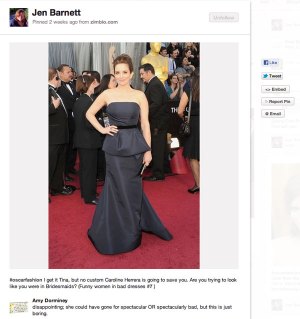 Earlier, I reviewed the pros. Let’s take a look at the cons …
• Pinterest alone will not be enough. As fun as it is to have a home base with a Pinterest board, it’s not really enough to generate excitement for a live event. I recommend using a blog post updated continuously as a starting point. A free tool worth using is CoverItLive, which handles live chats with a sophisticated interface. Too bad it won’t give a thumbnail for links like Facebook does.
You could also use a Twitter chat with a unique hashtag, though I would also recommend a home base like TweetChat to keep things grounded.
The challenge is that a Pinterest board is static, unless the user reloads it repeatedly. Having a running chat window keeps the interaction going.
• Pinterest is still buggy. Heck, Twitter is still buggy, and it’s 6 years old. Pinterest is a year old, but we quickly found out its limitations during our live pinning.
For starters, the site went down during the Oscars. Had that been our only option, we would have been completely halted. (See why I suggested an alternate home base?)
Another issue: When I first tried to create our Oscar Best Dressed and Oscar Worst Dressed pin boards, it wouldn’t let my partner pin, even though she was cleared as an authorized pinner. (She had to create the boards herself on the fly, but they’re still not showing up on my Pinterest profile.)
Yet another flaw in Pinterest in board management. As a board’s creator, I can add and delete pinners. That’s it. I can’t edit or delete their pins, even after removing their access. During our Oscar night event, I couldn’t add relevant info to Jen’s pins, except by commenting on them. And she didn’t have time to edit them herself. (Other option: me logging in as Jen.)
Plus, if a co-pinner’s account is hacked — and it will happen at some point — I can only hope I notice quickly enough to shut down their access. But then what? I can’t remove the pins (including spam, hate speech or graphic images); my only option is to click Report Pin. The only other option is to delete the board, but I don’t want to delete a board that has both hundreds of followers and pins.
Fix this, Pinterest. Fix this now.
• Pinterest is myopic on many Web pages. Pinning a YouTube video is a breeze. Pinning a Vimeo video is … impossible. You get this error message: “Sorry, we can’t see any big images or videos on this page.”
Any page with no images or tiny images in unpinnable as well. That can put a severe dent in your live pinning.
•
The visual appeal of Pinterest makes it a good option for live coverage. But be aware that your event can come to a sudden halt if you don’t have options beyond pinning itself.
•
More Pinterest:
- Using Pinterest for live event coverage: the upside
- What Cindy taught me about Pinterest
- My special Pinterest boards
- Super Bowl 2012 commercials
- WordCamp Atlanta 2012
- Birmingham, Alabama, the most popular one
- Academy Awards
- Follow me on Pinterest
• • •
Want to learn more about social media without leaving your Inbox?
Sign up for our e-newsletter today!
Using Pinterest for live event coverage: the upside
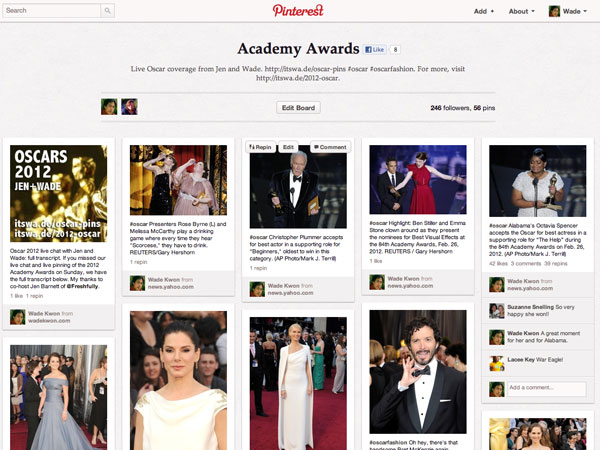
If you didn’t watch the Academy Awards, our Pinterest board
provided beautiful coverage and commentary.
As a journalist, covering breaking news has changed radically during my career. We once had to wait till the next printed edition to report the news, letting our TV competitors break in live during programming with on-the-scene action.
Along came website updates, live blogging and live tweeting. Last week, we tried out something new: live pinning.
Could Pinterest provide a new way to hook readers on an unfolding event using nothing but visuals?
My colleague Jen Barnett and I have teamed up before on live coverage, so using special pin boards was a new opportunity to test the waters.
She has always watched Oscar night red carpets with an eye toward fashion. In recent years, she even shared photos of actresses via Facebook with running commentary.
Pinterest would take over that function nicely. And it reads well on a tablet and adequately on a smartphone screen.
We discovered some tricks you can use for your live pinning, whether for a conference, a party or a news event.
(And check out the drawbacks, too.)
• For starters, promote your board heavily before, during and after the event. A custom short URL (we used bit.ly) can be a big help: Ours was itswa.de/oscar-pins. Don’t rely on just the pinners logged in seeing your pins; make sure your subscribers and social media pals know about it.
(Sadly, Pinterest lacks a messaging feature. Your next best bet is to @tag other pinners in the description or a comment.)
 Also, I created a pin-friendly thumbnail that went with our live chat page (shown at right).
• You’ll need a steady stream of photos or videos to feed the beast. In live chats, blogging and tweeting, you can get away with transcribing the dialogue or your personal analysis. But with Pinterest, it’s all visual. You might not be aware of this, but the site allows you to upload your own photos (but not videos) to create pins. You don’t have to rely solely on pinnable photos and videos on websites.
• Make use of those 500 characters Pinterest allows in the description. We didn’t use the actress’ name in every pin cutline, and that was a mistake. Making it search-friendly — even by editing after the fact — would still add value to the pins.
That description can include hashtags and @usernames, which become hotlinked within Pinterest automatically. Our most important tag was #oscarfashion, in case other pinners started using it (which they didn’t … this year). You can even throw in related URLs, but use a shortened version.
• Surprisingly, many of Jen’s red carpet pins generated a Like or a Repin here and there, but my single pin of Alabama native Octavia Spencer accepting the Oscar snagged dozens of Likes and Repins almost immediately. You can’t predict what will take off, so pin a wide variety of items related to your event.
• Tweeting your pins gives you a little more publicity. Pinterest gives you two sharing options as you pin, Facebook and Twitter, but if time permits, you’re probably better off just pinning an item, then tweeting it. Once it’s pinned, go to the pin’s page, and then click the Tweet button. This gives you more control over how the tweet reads, rather than an oddly truncated one.
If you do decide to pin and tweet simultaneously, be sure to lead with the hashtag, since that guarantees it will be included in the tweet.
You can also do live promos by including a screenshot of your current pin board in a tweet.
• Knowing the red carpet portion would end shortly before the actual Academy Awards show, we created two additional boards, Oscar Best Dressed and Oscar Worst Dressed. This gave us a reason to continue repinning during the show, keeping the pins active in the main Pinterest stream. Think ahead: Create additional boards if needed and repin accordingly.
And when you repin, you can change or amend the description as you like for more context.
• You can tally your metrics fairly simply in Likes, Repins and Comments, along with board followers, pins and Facebook Likes. Unfortunately, no other metrics data is available. Your profile might also gain more regular Pinterest followers.
Our main Oscar board ended up with 246 followers and 56 pins.
•
With Pinterest as the flavor of the month, now is the time to experiment with collaborative pinning and event coverage. Maybe your conference will have the first live board to track it. Maybe instead of a blog carnival, you’ll have a friendly pinning competition around a 1-day theme.
It’s a great way to attract attention, illustrate breaking news and put a fresh face on the live blog.
•
More Pinterest:
- Using Pinterest for live event coverage: the downside
- What Cindy taught me about Pinterest
- My special Pinterest boards
- Super Bowl 2012 commercials
- WordCamp Atlanta 2012
- Birmingham, Alabama, the most popular one
- Academy Awards
- Follow me on Pinterest
• • •
Want to learn more about blogging, social media and communication?
See my full lineup of webinars throughout 2012.

Stop the madness: Tips for outsmarting your smartphone

I’m worried about you. Your phone has gained such a stranglehold on you that you’re paying more attention to it than the world around you.
It’s happened while we were sharing a meal, or talking at a mixer, or any time its beeping pulled you away.
Can I have your full, undivided attention for 5 minutes? Maybe I can help.
In studying Jennifer Warren and her 48 hours divorced from her iPhone, I realized that some of you may have the same concerns. You might miss a text. You’re expected to check email for work. You haven’t checked Facebook in the last hour.
The information explosion has conditioned us to mainline data as though we can’t live without it. We can, we should. Our clarity and our focus depends on it.
(I don’t buy the multitasking argument, by the way. It’s bunk, and studies have proven it.)
You can escape from your smartphone yolk. It’s not nearly as difficult as you think with these time management tips.
1. Go cold turkey. To prove to yourself that going without a phone won’t kill you, surrender your phone to a family member or a friend for 48 hours. It’s how we set up our experiment, and it will show you just how productive you can be without that one constant distraction.
2. Limit your email checking to once or twice a day. Email is the to-do list that others write for you. It is a barrage of questions, requests, orders and junk. Tim Ferriss suggests checking only once a day, asking people to call you if it’s an emergency or requires live interaction. How many problems sent via email seemingly solve themselves if left alone?
For more on managing email, see “The 4-Hour Workweek” by Ferriss and “Getting Things Done” by David Allen. [aff. links]
3. Turn off all notifications. My iPhone only buzzes if it’s a call, a text message, a Facebook message or a Twitter direct message. That’s it. Only the important stuff (important to me) gets through. To shake your Pavlovian instinct to grab the phone each time it beeps, turn off the notifications for social media. Also, set the phone to beep based on sender: Maybe you set it so that only text messages and calls from your boss and your spouse (sometimes one and the same) beep, while the rest silently are logged on your device.
4. Get a free Google Voice number. If you’ve never tried Google Voice, you’re in for a treat. This free service transcribes voicemails and sends them as text messages to your phone, very handy when you’re in a meeting. It routes calls based on your preferences: Customer calls could ring your cell and desk phone, family calls could ring your cell and home phone. You can screen calls. You can listen in on voicemail and take the call. It’s a gatekeeper that lets through important calls and sends the rest to voicemail. Sign up today.
5. Be deliberate about your social media. Limit your Twitter and Facebook to 10 minutes in the morning, 10 minutes at lunch and 10 minutes at day’s end. Prune your friends and followers regularly. If you know of a phone app that locks out sites and apps for preset periods of time (RescueTime does this for computers), let me know in the comments.
You have to retrain yourself to use your phone as needed. You have to train others to contact you appropriately. But once you do, you’ll find has once again become a trusted assistant and not an unrelenting taskmaster.
Photo: PictureYouth (CC)
•
How do you manage your time with your smartphone? Share your tips in the comments, please.
• • •
If you need help in 2012 with communication,
now is the time to book me for a FREE consultation.
Could you survive a 48-hour tethering sabbatical?

Jennifer Warren and her dog Murphy;
her iPhone (below)
All kinds of interesting bar bets come up over drinks with friends.
 When meeting Jennifer Warren, business manager at the Music Opportunity Program, her husband Tripp Warren and Sarah Miller for the first time during happy hour on a recent weeknight, we started talking about how technology can enslave us. Certainly, our little Twitter clique could identify. We had met online and only just last month decided to meet for the first time in person.
Which led me to an interesting proposition.
I asked Jenn to give me her iPhone. She eyed me warily. Her grip tightened on her phone.
I planted the idea that she should go the next 48 hours without her “lifeline.” I or Tripp would hold onto it, and she could ask for it back at any time. She could still access any of her social networks and email while on a computer, whether at work or at home.
But she needed some persuasion and some good old fashioned peer pressure.
(Are your palms sweating already at the thought of giving your smartphone to a stranger?)
It took outright bribery to get Jenn’s consent. But relent she did after a 20 minutes of talking her down. Why would someone willingly give up her smartphone? And why is that such a big deal?
Jenn talked about her 48-hour tethering sabbatical with me via email afterwards.
You were reluctant at first to give up your iPhone, even with a chance to get it back at any point. Why was that?
Jenn: Initially, the hardest part of this ordeal was the lack of control. Not having the ability check Twitter or make a phone call disturbed me, regardless of whether or not I really needed to do those things. I’ve been conditioned since I was 15 to think that I had to have a phone/ability to communicate to survive (a pitfall of being part of the “weaker” sex, I suppose).
What do you typically use your iPhone for, related to work, email, calls, text messages and social media?
Jenn: My phone is my main connection to the outside world! I use it to check work emails when not at work: I like keeping apprised of what’s happening even when I’m not at my desk. It’s my go-to source for personal emails as well.
I use apps for Google+, Twitter, Facebook, Instagram, reading news, finding recipes to try, etc. Why bother turning on a computer and logging in separately to each site when it all takes is a tap on my phone?
My phone is also my camera, photo album and favorite time-waster.
What was the biggest challenge for you during the 48 hours?
Jenn: Surprisingly, it was hardest being without a cell phone while driving. I was worried about driving in the rain: What if I wrecked and couldn’t call my husband? Of course, that didn’t happen, but the possibility freaked me out.
What did you learn from this experience/ordeal?
Jenn: I learned, to my astonishment, able to quickly overcome my Twitter addiction and survive without constant social media updates. Perhaps my life doesn’t really hinge on my Klout score …
What was your reward for sticking it out the full 48 hours?
Jenn: My sweet husband promised me season tickets to the Birmingham Barons! I can’t wait to support our local team (especially once they move to the new stadium by Railroad Park).
•
Could you survive 2 days without your smartphone? Let ’er rip in the comments …
• • •
Want to learn more about blogging, social media and communication?
See my full lineup of webinars throughout 2012.
UAB PRSSA presentation: How to Build a Successful Social Media Plan
I gave a talk this evening to the UAB PRSSA chapter on “How to Build a Successful Social Media Plan.” If you want to know the basics of starting a plan, you’re in the right place.
1. You can see the slides from the presentation. Please feel free to download them or embed them on your site. To download a PDF, click “View on SlideShare,” then “Download.”
•
2. I’ll have video posted soon.
3. The worksheet/basic outline is available to download in the handy PDF format.
4. If you want to stay in touch …
- You can contact me through this simple form. Please feel free to ask questions, make suggestions or request help.
- You can follow me on Twitter at @WadeOnTweets.
- You can subscribe to the free e-mail newsletter with tips, info, specials and more.
- And you can subscribe to my Birmingham Blogging Academy posts by RSS feed.
5. I have more great posts on social media for you to read.
Thanks for checking out “How to Build a Successful Social Media Plan.” And thanks for these great tweets …
https://twitter.com/#!/karlakhodanian/status/167054362017927168
https://twitter.com/#!/LizBrawley/status/167070007967232002
https://twitter.com/#!/karlakhodanian/status/167079638412165121
• • •
Want to learn more about social media without leaving your Inbox?
Sign up for our e-newsletter today!
Five Points South Merchants presentation: Hungry for More
If you came to my presentation to Five Points South Merchants Group, “Hungry for More: How Blogging Keeps Customers Coming Back for More,” thank you. If you’re just interested in effective blogging and social media for restaurants and other businesses, you’re in the right place.
1. You can see the slides from the presentation. Please feel free to download them or embed them on your site. To download a PDF, click “View on SlideShare,” then “Download.”
•
2. I’ll have video posted soon.
3. The worksheet/basic outline is available to download in the handy PDF format.
4. If you want to stay in touch …
- You can contact me through this simple form. Please feel free to ask questions, make suggestions or request help.
- You can follow me on Twitter at @WadeOnTweets.
- You can subscribe to the free e-mail newsletter with tips, info, specials and more.
- And you can subscribe to my Birmingham Blogging Academy posts by RSS feed.
5. Be sure to read my guidelines that apply to both food and blogging.
Thanks for checking out “Hungry for More: How Blogging Can Keep Customers Coming Back for More.” And thanks for these great tweets …
https://twitter.com/#!/TheVST/statuses/166946141383032832
https://twitter.com/#!/schaeffer2020/statuses/166996769530593281
• • •
If you need help in 2012 with communication,
now is the time to book me for a FREE consultation.
What Cindy taught me about Pinterest

Cindy Wincek Lake’s Pinterest profile page
Pinterest may be my new favorite thing for 2012. It’s forcing me to think visually and look at crowdsourced material with fresh eyes.
 Cindy Wincek Lake, marketing director at Donohoo Auto in Pelham, is a Pinterest pro. She has more than 400 followers and close to 2,000 pins on 35 boards. In asking pinners what makes their boards special, she wrote:
“My deepest darkest Pinterest secret is hardly a secret. My favorite board is one that I created called ‘Don’t Hate the Players,’ and it features some of my favorite international soccer stars in all their glory. It’s a bit ridiculous and not a board that most people would want to follow, but over 400 people who I don’t know enjoy the heck out of it.”
Here’s what else I learned from Cindy …

Don’t Hate the Players, Cindy’s Pinterest board of “fútbol’s finest”
1. Be true to your passions. I don’t know a lot of soccer fans around here, but the ones I do know are crazy about the sport, their teams and players. So it’s only natural Cindy would have a board dedicated just to players. Or should I say, to the hottest players?
A little man-candy never hurt anyone, but it’s not surprising that her fandom has attracted hundreds of followers and two other contributing pinners.
Cindy may be in the middle of football country, but her fútbol obsession helps her find her tribe.
My passion is my hometown of Birmingham, so the very first board I created features everything happening in Birmingham. It now has more than 200 followers and two contributing pinners.
2. Be clever in creating your boards. I have seen a million boards on “Weddings” and “Food” and “Decorating Ideas.” Only on Cindy’s page have I found …
- SHHH — The Queen is Sleeping!
- I’d totes wear that!
- Paint Your Face and Fix Your Hair,
- Yummerz,
- Presh!
- Crafty I wish I was,
- Bubbas,
- My Motherland — Deutschland Über Alles,
- Organization is NOT my specialty,
- Baubles, Tik Tok and such,
- STOP SOPA and PIPA,
- I mean, REALLY. REALLY?
Don’t the names alone make you want to click and see what these boards are about? A few words paint a better picture than all the tiny Pinterest thumbnails.
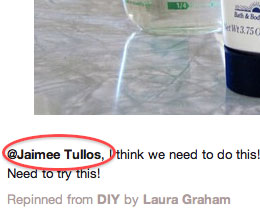 3. Let your friends in on the best pins right away. As you pin or re-pin items, you can tag your Pinterest friends in the comments. It may be something they should look at and pin to their own boards.
Just type “@name” and Pinterest will start to narrow down with each character entered.
You can see how Cindy used it to notify her friend Jaimee about a new product.
It is a social network after all.
•
You, too, can be a Pinterest pro. Like other social channels, if you show off your passions, stand out with your cleverness and include your friends, you’ll have a more rewarding experience in very short order.
- Need a Pinterest invite? Let me know.
- Video: I need your pins for the Birmingham Pinterest board.
- Your True Pinterest Confessions
•
Want to learn more about social media without leaving your Inbox?
Sign up for our e-newsletter today!
Still more from WordCamp Birmingham 2012: tweets and slides
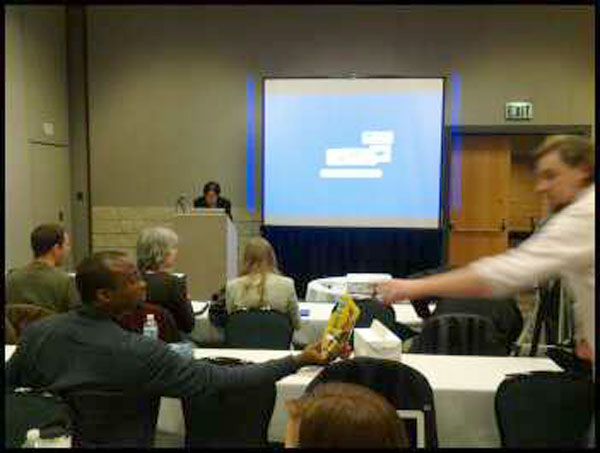
Photo: Nathan Young
Just wanted to share two more things from WordCamp Birmingham 2012: my favorite tweets during my session and slides from all the presenters.
(Looking for my presentation? Slides and video)
Tweets
https://twitter.com/#!/nvyoung/status/158298381834391552
https://twitter.com/#!/coloringblue/status/158298588227706881
https://twitter.com/#!/meremo/status/158298898945945600
https://twitter.com/#!/ree_tweets/status/158298946488381441
https://twitter.com/#!/CathyReisenwitz/status/158299428820746240
https://twitter.com/#!/bethgsanders/status/158299741355122688
https://twitter.com/#!/JoeBirdwell/status/158299824108740609
https://twitter.com/#!/CathyReisenwitz/status/158302659152052227
https://twitter.com/#!/truemc/status/158302015007629312
https://twitter.com/#!/TandiSmith/status/158304285367603200
https://twitter.com/#!/nvyoung/status/158305260635553792
https://twitter.com/#!/Mitzi_Eaker/status/158309730836688896
https://twitter.com/#!/coloringblue/status/158310723162873856
https://twitter.com/#!/karlakhodanian/status/158312236312571907
https://twitter.com/#!/TandiSmith/status/158315858505121792
•
Slides
WordPress for Beginners, by Brian Krogsgard
•
Oh My! So many themes to choose from, by Judi Knight
•
Empowering Non-Profits with WordPress, by Cliff Seal
•
Wrestling with E-Commerce for WordPress, by John Housholder
•
Using Theme Frameworks for rapid development and sustainability, by Joel Norris
•
CSI: WordPress — Getting Into the Guts, by Dougal Campbell
•
Enqueues, Includes and Defines! Oh my! by Tammy Hart
•
Beyond the Browser – Creating a RESTful Web Service with WordPress, by Christopher Reding
•
Relate all the things!, by Michael Yoshitaka Erlewine
•
WordPress Security, by Scott Fisk
•
WordPress in a Time of Crisis, by Michelle Amaral
•
There’s a Plugin for That, by Marna Friedman
•
Stop creating content for the sake of creating content, by George Ortiz
•
WorryProof WordPress – Backup Strategies for Your Web Site, by Nathan Ingram
•
Running Your Freelance Business, by Kelly Housholder
•
Make great tutorial and product videos, by Steve Burge
•
Responsive Web Design and WordPress, by Dan Gavin
•
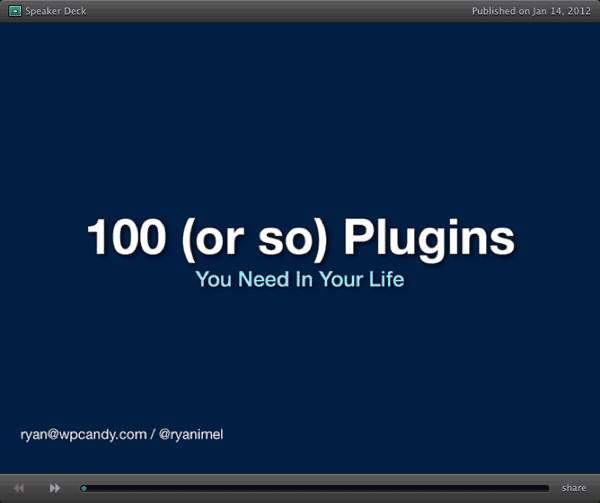
100 (or so) Plugins You Need in Your Life, by Ryan Imel
•
Fun with Integration, by Samuel “Otto” Wood
•
Scan It! Incorporating QR Codes into WordPress, by Stephanie True Moss
•
If I missed your slides, leave a comment with a link to the deck so I can include it.
Video: Wade Kwon on “How to Win Awards and Influence Readers
in 439 Days and 668 Posts”
You’ve seen the slides, now own the movie.
Check out the 30-minute video from my WordCamp Birmingham 2012 presentation, “How to Win Awards and Influence Readers in 439 Days and 668 Posts.”
I had a great time sharing my plan for long-term content marketing and management. It’s an advanced-level strategy, suitable for corporate bloggers who have had sites up for at least a year or two. And it works, even if your site isn’t built on WordPress, though WordPress and the free All in One SEO Pack plugin make it very easy to grow traffic with consistent posting and tagging.
- Slides from my presentation (which you can follow along in another window, download or print)
• • •
Want to learn more about blogging, social media and communication?
See my full lineup of webinars throughout 2012.
If you came to my session at WordCamp Birmingham 2012, “How to Win Awards and Influence Readers in 439 Days and 668 Posts,” thank you. If you’re just interested in advanced content marketing for business, you’re in the right place.
1. You can see the slides from the presentation. Please feel free to download them or embed them on your site. To download a PDF, click “View on SlideShare,” then “Download.”
•
2. I’ll have video posted soon. Hooray, you can watch the 30-minute presentation video.
3. If you want to stay in touch …
- You can contact me through this simple form. Please feel free to ask questions, make suggestions or request help.
- You can follow me on Twitter at @WadeOnTweets.
- You can subscribe to the free e-mail newsletter with tips, info, specials and more.
- And you can subscribe to my Birmingham Blogging Academy posts by RSS feed or by e-mail by looking for the box in the right sidebar.
Thanks for checking out “How to Win Awards and Influence Readers in 439 Days and 668 Posts.”
• • •
If you need help in 2012 with communication,
now is the time to book me for a FREE consultation.
On pins and needles: What are you pushing on Pinterest?

I was lucky to receive a Pinterest invite in 2011, but didn’t put it to use until this month. I’m having fun pinning interesting items for specific categories (Birmingham, pop culture), while browsing through everyone else’s boards.
 But I’d love to learn how you’re using Pinterest, how you’re finding great things to pin and more.
- What are you pinning?
- Who do you follow?
- What’s your secret guilty pleasure on Pinterest?
Drop a comment with a link to your Pinterest page and even the board your most proud of creating and maintaining. And of course, let me know your answers to those questions above.
Be clever, be wordy and be linky. I’ll write a post about the Pinterest pal who writes the best comment within the next week. (And if you need an invite, feel free to contact me.)
And my True Pinterest Confession? I have to eat something every time I start browsing, because I’m following people who have an eye for beautiful entrees, snacks and sweets. I’m going to end up gaining a pound during each session!
•
- Pin this post!
- Wade Kwon’s Pinterest page
- Pinterest: 13 Tips and Tricks for Cutting Edge Users
- Three Ways to Use Pinterest for Business
•
Want to learn more about social media without leaving your Inbox?
Sign up for our e-newsletter today!
Webinar – Your LinkedIn Profile: Your Ticket to a Better Job

• Hate your job?
• Need to network but don’t know how?
• Stuck in a dead-end career?
• Not sure how to approach prospective employers and recruiters?
Let your LinkedIn profile do the work for you.
In this 1-hour webinar, learn how to make your profile stand out from the millions of job seekers in the marketplace and the 135 million other LinkedIn users.
LinkedIn expert Wade Kwon will show you …
- How to avoid common profile mistakes,
- The one change you can make right now to grab attention,
- How to never have to update your resume ever again.
With thousands of recruiters searching through LinkedIn several times a day, your new career depends on the strength of your profile. Make it easier for them to find and hire you today.
Plus, he’ll have a special offer for those who attend live at the end of the session. And 10 percent of proceeds will be donated to his new nonprofit group, the Alabama Social Media Association, which educates people for free in social media.
Join me at noon CST Thursday for the first in a series of BBA webinars to help you communicate more effectively.
Tickets are $30, but if you hurry,
you can get in for a reduced rate.

•
Note: Fee is non-refundable if attendee cancels for any reason. However, we do offer a double-your-money-back guarantee if you are unsatisfied with your training. See our FAQ for details.


 Birmingham Blogging Academy

When compliments go wrong
“Nice job.”
(“Like” clicked.)
“Attaboy!”
The world is filled with empty praise. Managers are instructed to “catch people doing something right,” a standby from the excellent book, “The One-Minute Manager” [aff. link].
What could be possibly be wrong with rewarding people with a “nice job” or an “attagirl”? Doesn’t the working world have enough bosses who can easily name all the things they dislike about their staffers?
These drive-by compliments highlight a disconnect often found in the working world. When the boss or even the boss’ boss comes trotting through the office, such compliments-lite come off as insincere. Workers who feel underappreciated aren’t likely to be swelling with pride over a 2-second assessment.
Having worked at several publications, I know compliments were few and far between. I myself was guilty of being stingy on praise, for fear that too many compliments would weaken their meaning. I was wrong.
Even in the blog world, such flimsy positive comments can be viewed as spammy, a cheap way to get a link back to one’s own site. (In fact, spambots litter sites with stock phrases millions of times an hour.)
A truly effective compliment has both specificity and sincerity.
Being specific in the details turns a drive-by compliment into a real connection. It shows that the giver is actually paying attention.
The giver points out a particular action that merits notice, the when, the how, the why. Will Jane continue this behavior with positive reinforcement received?
Being sincere shows the receiver that the giver cares about him as a person. It comes from delivery cues, such as eye contact, a smile, enthusiasm and, if appropriate, a touch on the shoulder or even a pat on the back.
Genuine heart moves it from caring only about self (drive-by praise) to caring about the other person (real compliment). It’s not about showing off how much a supervisor pretends to care, but about elevating someone else for cleverness, extra effort or courage.
Praise matters. As “One-Minute Manager” authors Ken Blanchard and Spencer Johnson assert, “Feedback is the breakfast of champions,” referring to both praise and constructive criticism.
If people go to work for companies and leave because of their bosses, often it’s because they feel underappreciated for all the good work they do. Employees find that a little praise can go a long way in boosting morale and squashing the feeling that they’re toiling in obscurity. But it takes an observant and involved leader to be both specific and sincere.
I mentioned earlier that I had been a manager who failed at giving compliments frequently enough. But once I learned the secret, I caught colleagues doing things right on a regular basis. While turnover in the newspaper industry was always high, my department had almost no turnover for years.
And even on something as simple as a leaving a comment on a blog post, I write why I liked it: the clarity of the writing, the author’s willingness to share something personal and revealing, the links to other information, a funny sentence at the beginning.
Authentic positive feedback improves performance, improves morale, improves employee retention and keeps the lines of communication open and healthy. It encourages people to repeat good habits.
And for those who are consistent and even a little lucky, it becomes contagious among everyone in the office.
Photo: Max Wolfe (CC)
•
Have you complimented someone today, in person or on their blog?
• • •
If you need help with communication,
book me for a FREE consultation.
Share this: